Klipper Config
Klipper configuration can be set to mutable or immutable. A mutable configuration allows changes directly on the running system, while an immutable configuration is managed declaratively through a version control repository.
Immutable config option
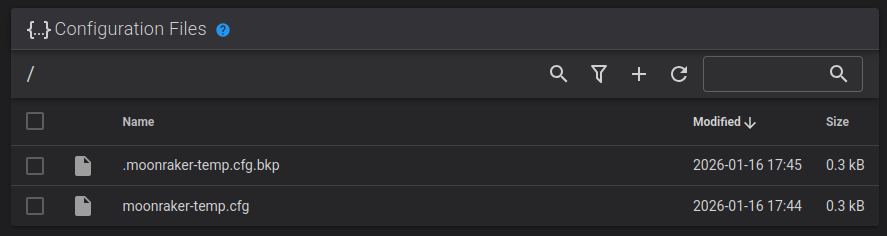
To update an immutable Klipper config, you commit changes to your own
repository and run klix-update to apply them. This approach ensures
reproducible, version-controlled configurations while keeping updates
predictable and controlled.
There's a slower feedback loop when doing this, but it does protect you against accidental changes, because you can always roll them back by reverting your Git commit, or by using Klix's rollback system (which is powered by NixOS).
You usually don't need a backup of your config if it's in version control, as it already exists on multiple systems.
Using plugins
Plugins you've chosen to install with Klix appear under an extras
directory inside your version-controlled config.
This lets you include them like this: [include extras/KAMP/Voron_Purge.cfg]
Your version-controlled config doesn't need to include this directory — it'll be added when your config is installed.
Mutable config option
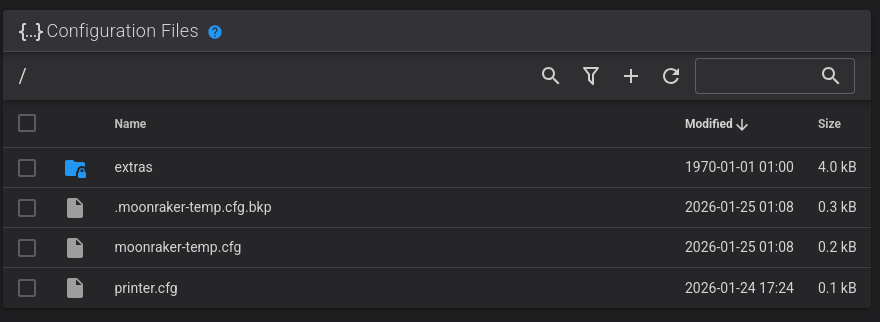
The main advantage of a mutable Klipper configuration is flexibility. Settings can be edited directly through a web interface, allowing you to adjust printer behavior, tune parameters, or add macros without needing to use Git or rebuilding anything. This makes experimentation and on-the-fly adjustments simple and immediate.
If you're concerned about losing your printer config in the case of an SD card failure or other problem, you'll need to back up your config.
Using plugins
Plugins you've chosen to install with Klix are put under a symlinked extras
directory in your default config directory.
This lets you include them like this: [include extras/KAMP/Voron_Purge.cfg]
Because your config is fully mutable, you can also choose to install plugins manually in your config directory. We'd like it if you requested that they be added to Klix's automatic installation system too, though!